

Once we have data existing in the table, we can make modifications to records by updating or deleting specified data.
In order to make an update, we start off by typing “UPDATE”, followed by the name of the table we want to make changes to. Then we type “SET”, followed by the column/s that we need to access, providing the updated data to be inserted (If there are multiple columns, they are separated by commas). Then most likely, we will follow this with the “WHERE” clause, indicating the condition/s for the update.
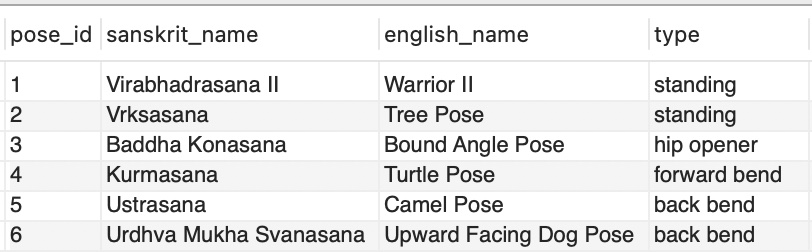
Here is the table that we will be starting with for our examples. The table is named “yoga”:

Below, we have an example of an update statement. It will update the yoga table with ‘Virabhadrasana II’ for the sanskrit_name column and ‘Warrior II’ for the english_name column, only for the row where the pose_id is 1 :
UPDATE yoga
SET sanskrit_name = 'Virabhadrasana II',
    english_name = 'Warrior II'
WHERE pose_id = 1;
So now, the table has been updated for the first row as shown below:
Our next example will update the type column in the yoga table for the fields that are currently populated with ‘hip opener’ or ‘forward bend’ and modify them as ‘unknown’:
UPDATE yoga
SET type = 'unknown'
WHERE type = 'hip opener' OR type = 'forward bend';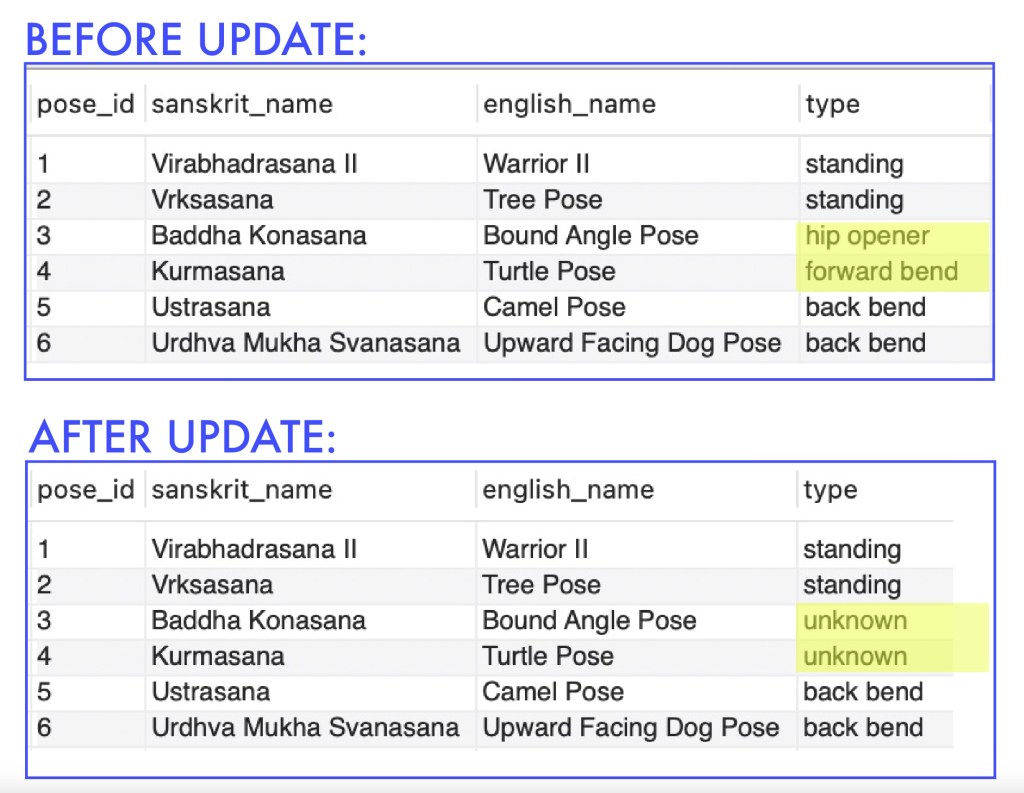
For our last update example, notice we are not using a WHERE clause. This statement will update the entire type column with ‘unknown’ since we are not indicating any conditions. This is something we want to be very careful with:
UPDATE yoga
SET type = 'unknown';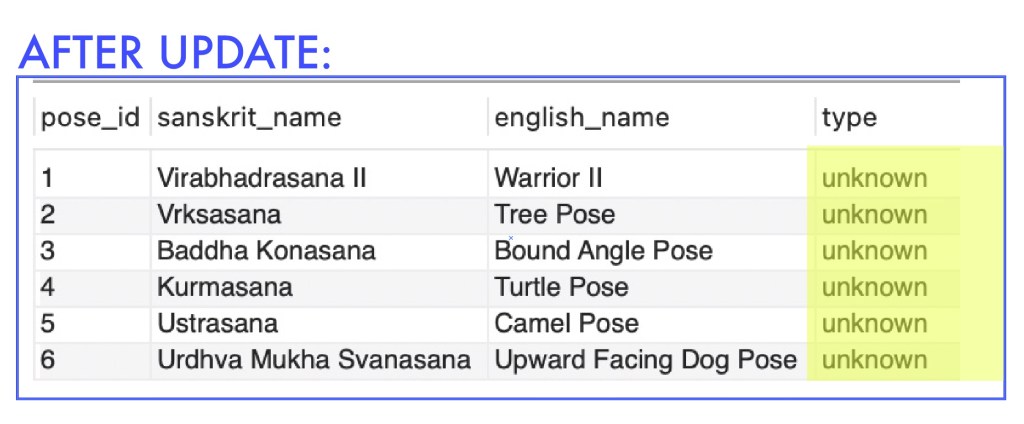
Now, we will go over some examples for deleting data. We start off by typing “DELETE FROM”, followed by the name of the table we are working with. Then we will follow it with the “WHERE” clause, indicating the condition/s for the specific data to delete.
This example below will delete the entire row from the yoga table where the pose_id is 1.
DELETE FROM yoga
WHERE pose_id = 1;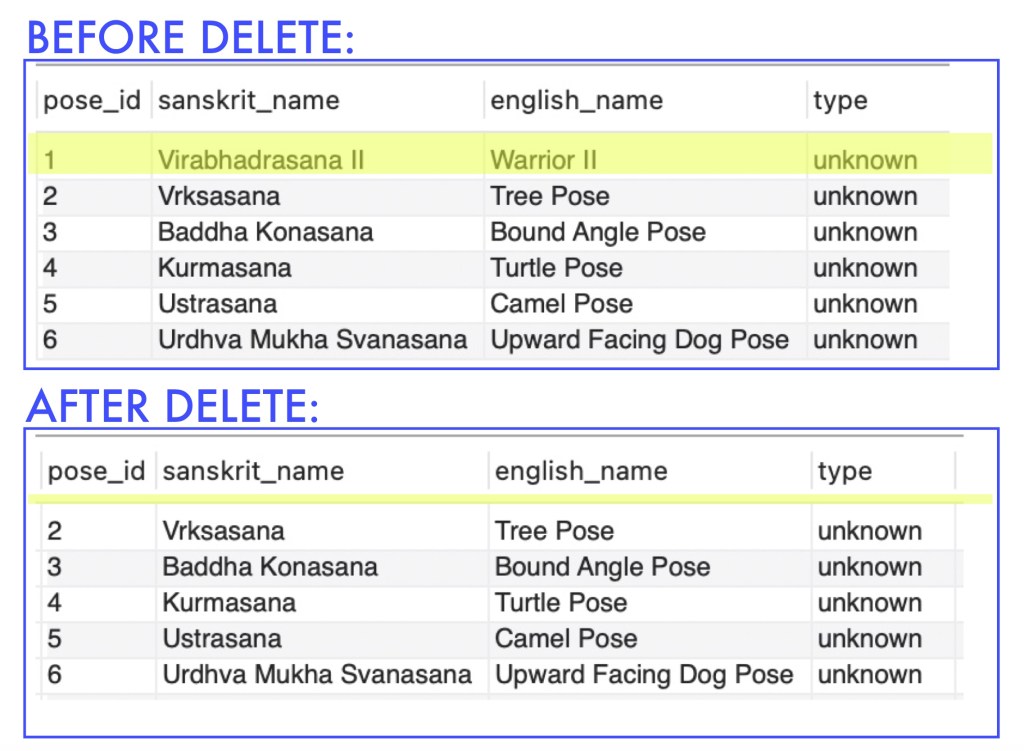
This next example will delete the row from the yoga table where it meets both of the criteria indicated for where the sanskrit_name is ‘Ustrasana’ and the english_name is ‘Camel Pose’:
DELETE FROM yoga
WHERE sanskrit_name = 'Ustrasana' AND english_name = 'Camel Pose';
For our last delete example, notice we do not have a WHERE clause. This is something to be very careful with because since we are not indicating where to specifically make the deletes. Once this statement is executed, it will delete all the data from the yoga table:
DELETE FROM yoga;Here’s a video reviewing examples of updating and deleting data from a table:

 Catty Learns Code