

Now that we have created our 5 tables for our yoga database, we will populate them all with data.
The database schema is shown below for easy reference as we work on inserting data into each table (Note that I made adjustments, highlighted in bright yellow, from the original set of data because I realized it wasn’t all connecting the way I actually planned. Oopsies):

We’ll start by inserting data into the yoga_teacher table as well as the studio table. Getting these tables populated with all the appropriate data will be a bit tricky because there will be quite a bit of back and forth since we can’t input everything in a direct way.
Here we go. We will begin by inserting the first row of the yoga_teacher table as shown below:

Notice that for the very last column, studio_id, we are inserting the value as NULL instead of 1. This is because can’t populate the studio_id column just yet since it is a foreign key referencing the studio_id column of the studio table, which is currently empty. So, we will have to update that piece of data after we are able to insert the appropriate reference field.
So the next piece of data we will insert is the first row of the studio table :

We are able to enter the data for the entire row because we have the coinciding foreign key information of 1111 populated for the teacher_id column of the first row we inserted into the yoga_teacher table.
The next step is to go back to the yoga_teacher table and update the studio_id column for the inserted row with 1 instead of NULL, since data for the row with a studio_id of 1 now exists in the studio table. See the below code for the update:
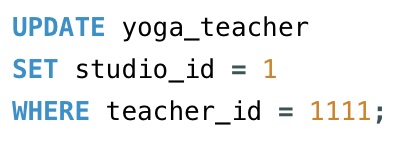
Now, we can go ahead and enter the rows for the yoga_teacher table that has studio_id column of 1 and manager_id column of 1111. Below is the code to insert:

That completes the entries for all rows in the yoga_teacher table associated with studio_id 1.
Next, we can work on all rows that link to studio_id 2. The first bit of code we will need to insert is below:

Note that the studio_id column here is set to NULL, since the studio table with the row having a studio_id of 2 does not exist yet.
Once the row with the teacher_id of 1116 is inserted into the yoga_teacher table, we can go ahead and insert the row with studio_id of 2 into the studio table, as shown below:

Our next step is to update the yoga_teacher table for the row with teacher_id of 1116 to replace the studio_id of NULL with 2. See below code:
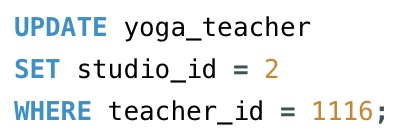
Now, we are able to enter in the rows of data into the yoga_teacher table that have a studio_id of 2 and manager_id of 1116. Here is the code:

We can now move on to the data for the yoga_teacher table that relate to studio_id of 3. We will start, by inserting the below code:

Once again, note that the studio_id column is set to NULL because the referencing column for studio_id of 3 hasn’t been populated yet in the studio table.
Now, that the row with the teacher_id of 1117 has been inserted into the yoga_teacher table, we can insert the final row with the studio_id of 3 into the studio table:

With the studio_id of 3 for the studio table now inserted, we can make the appropriate update to our yoga_teacher table for the row with teacher_id of 1117 to replace studio_id of NULL to 3.
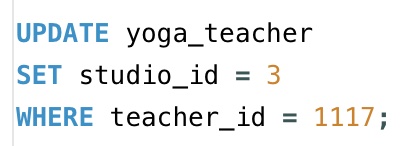
Now, we can insert the rest of the rows into the yoga_teacher table with the value of 3 for the studio_id and the value of 1117 for the manager_id, shown below:

Ok, so our yoga_teacher table, as well as our studio table are now fully populated with our data.
The rest of the three tables we have left are straight forward. Here is the code for inserting our data into the class_offered table:
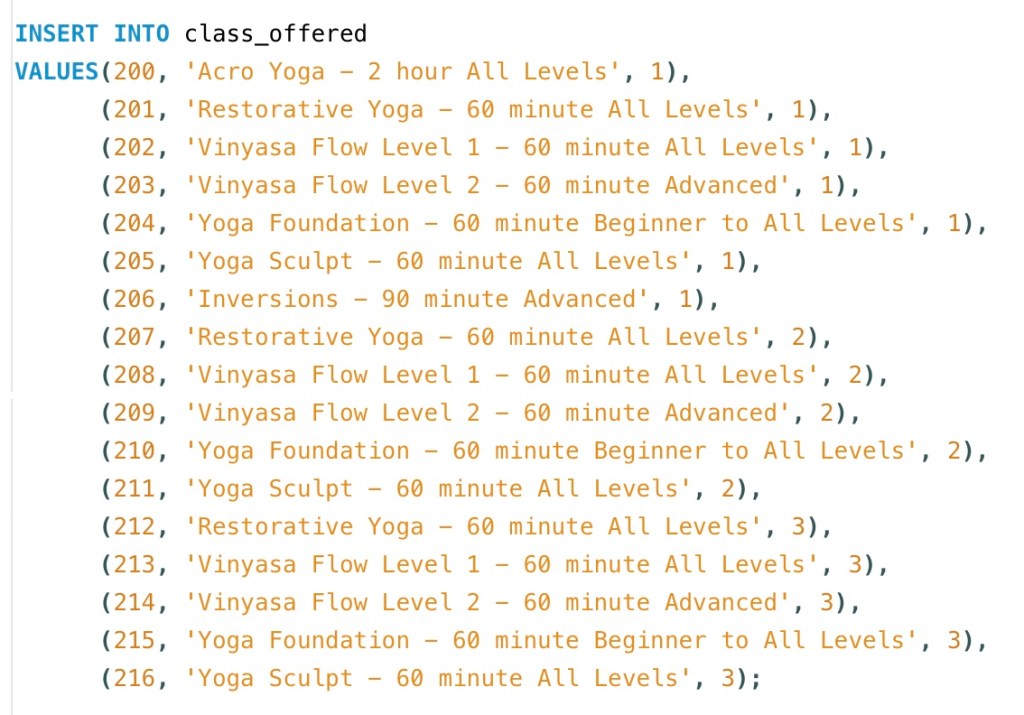
The foreign key here is the studio_id column, which references the studio_id column in the studio table.
Next, we’ll insert the data for the taught_by table with the code below:
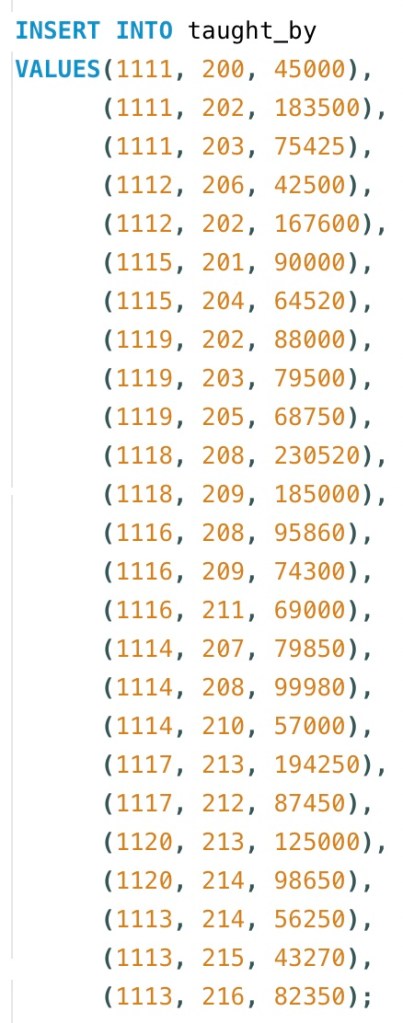
Note that the teacher_id column and class_id column together serve as the composite key for this table. Also, note that the each of those two columns are also foreign keys.
Our final table to insert is the membership_plan table. Here is the code:
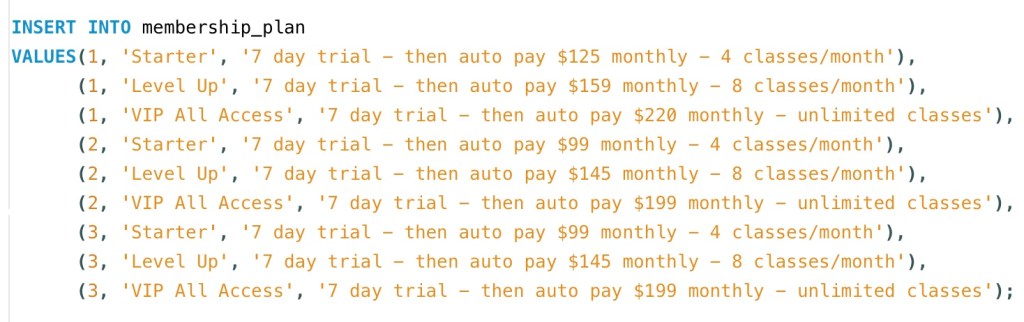
The studio_id and plan_type columns make up the composite key for this table. However, the studio_id alone serves as the foreign key.
Ok yay! All of our 5 tables for our yoga database are now populated, which means we have actual data to play with to continue learning other concepts with plenty of examples. Next, we’ll work on querying data.
Thanks for hanging with me, friends :).
Here is a video reviewing the process of inserting data into our tables for our yoga database from this post:

 Catty Learns Code