

Before we dive in, I have the database schema included here below for easy reference just in case it helps (Note that the highlighted fields in bright yellow are from the adjustments that I made to the original set of data before I populated the database. It won’t affect anything here.):

Alright, let’s review some examples using wildcards. Whenever we use wildcards, we use the LIKE keyword in our WHERE clause to define a certain pattern to search for. If you want to skip straight to the video reviewing all of these examples, you can scroll all the way down this post to watch.
The wildcards we’ll be focusing on are the percent sign and the underscore:
% represents any number of characters
_ represents one character
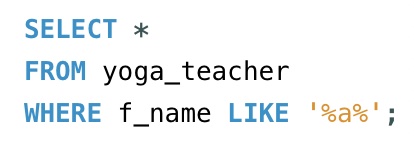
The first example we have below will find the data in all columns of the yoga_teacher table where the first name of the teacher contains the letter ‘a’. Because there is a ‘%‘ before and after the letter ‘a’, it indicates that the number of characters before and after do not matter, as long as there is an ‘a’ somewhere in the first name.
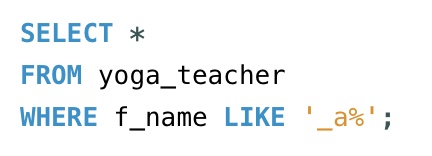
The next example requests all data where there is a pattern with the second letter of the first name that must be ‘a’. The ‘_’ indicates that the first character is any single character. The ‘%’ indicates that the number of characters after ‘a’ does not matter.
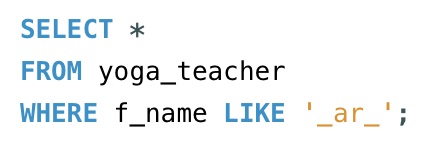
With the next example, we are requesting a four character first name where the second and third character is ‘ar’.
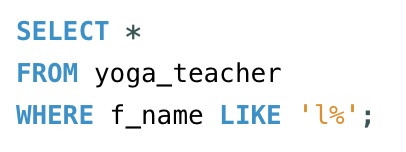
Now, we are looking for all first names that start with the letter ‘l’ in the yoga_teacher table and the rest of the length can be any amount of characters.
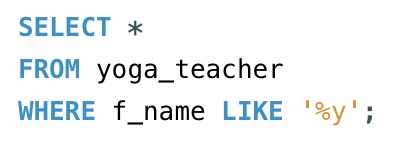
This next example wants to find all first names that end with ‘y’. Since there is a ‘%’ in front of the ‘y’, the number of characters before does not matter.
The below example is requesting the hourly_rate from the yoga_teacher table that has two characters and starts with ‘3’. So the results will be all the rates in the 30s range.

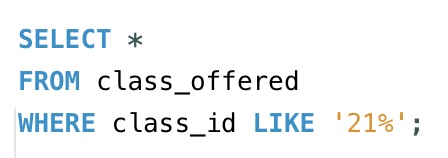
Now, we are looking into the class_offered table for all the class_id that starts with ’21’ followed by any other numbers.
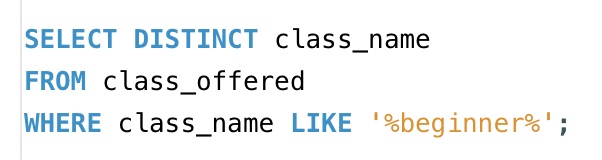
Below, we are asking to find all the distinct class_name in the class_offered table that contains ‘beginner’. Because we are requesting distinct class_name, we won’t have any duplicates in the results.
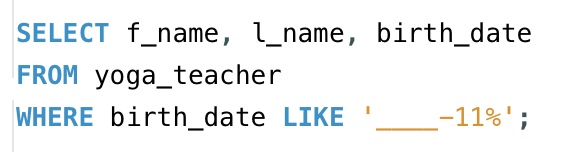
This example is requesting for all the yoga teachers’ f_name, l_name, and birth_date columns from the yoga_teacher table that have November birthdays. There are four ‘_’ for the year before ‘-11’, then we have a ‘%’ since the days don’t matter as long as the month lands in November.
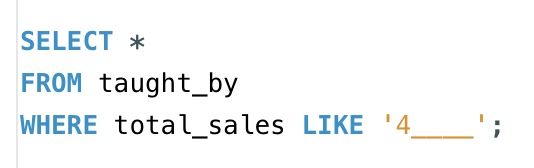
This next example is asking for all the data from the total_sales column in the taught_by table that starts with ‘4’ followed by four more characters (it’s hard to tell how many underscores there are if I don’t specify). So, it will be a number that is a of five characters, which begins with ‘4’.
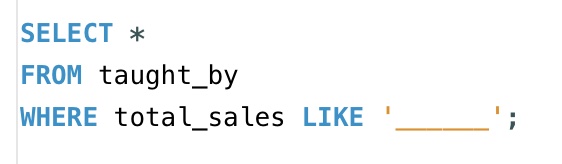
The below is requesting information from the same column and table as above, but we only want to see the total_sales that are six figures (again, it’s hard to tell the number of underscores just from the image unless specifically stated).
These final three examples are looking into the class_offered table.
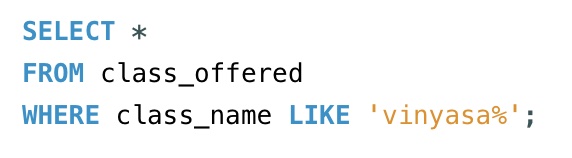
First, we are searching where the class_name starts with ‘vinyasa’ followed by any number of characters.
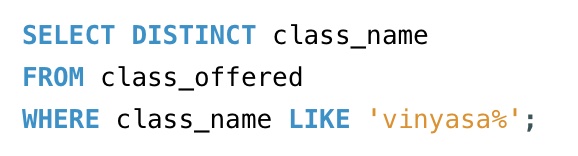
Next, we are searching for the same pattern of ‘vinyasa%’ as the above example. However, we are requesting just for the distinct class_name, which will return only the class_name that start with ‘vinyasa’ followed by any number of characters, but will not return duplicates.
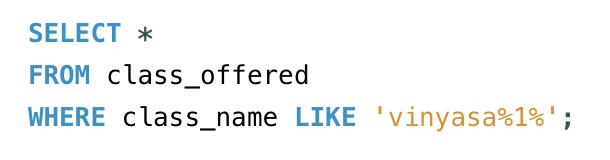
This last example searches for the class_name that starts with ‘vinyasa’ and has a ‘1’ somewhere after because there is a ‘%’ before and after the ‘1’.
I hope these examples are helpful.
Thanks for learning with me, friends :).
Here is the video going over all the the examples in this post (It may be easier to see the examples with each of their results) :

 Catty Learns Code